CRM
Keep every customer relationship in one place.
Store unlimited contacts and keep their details, conversations, notes, tasks, appointments and activity together in one customer record , with custom fields, tags and Smart Lists to organise everything around the way your business actually works.
- Unlimited contacts
- One complete customer history
- Custom data & smart segmentation
A CRM that works around your business , not the other way round.
BeanGrower AI gives every lead and customer a central record where your team can see the information and history that matters , without hunting through separate systems.
Keep contact details, conversations, calls, notes, tasks, appointments, form activity and other interactions together. Add your own custom fields, tags and contact types, build dynamic Smart Lists, and link individual contacts to the companies they belong to. For more specialised businesses, the CRM can even be extended with custom record types to track things unique to the way you work.
What you can do:
- Store unlimited contacts without paying more as your database grows.
- See the full relationship history including messages, calls, notes, tasks, appointments and activity.
- Create custom fields, tags and contact types to store the information that matters to your business.
- Use Smart Lists and advanced filters to automatically organise contacts into useful segments.
- Link people to company records so B2B relationships stay properly organised.
- Import, update and manage contacts in bulk including tag changes and other mass actions.
The result: one reliable customer database that becomes more useful as your business grows , and provides the data that powers your marketing, automation, reporting and follow-up.
Pipelines & opportunities
See exactly where every opportunity stands.
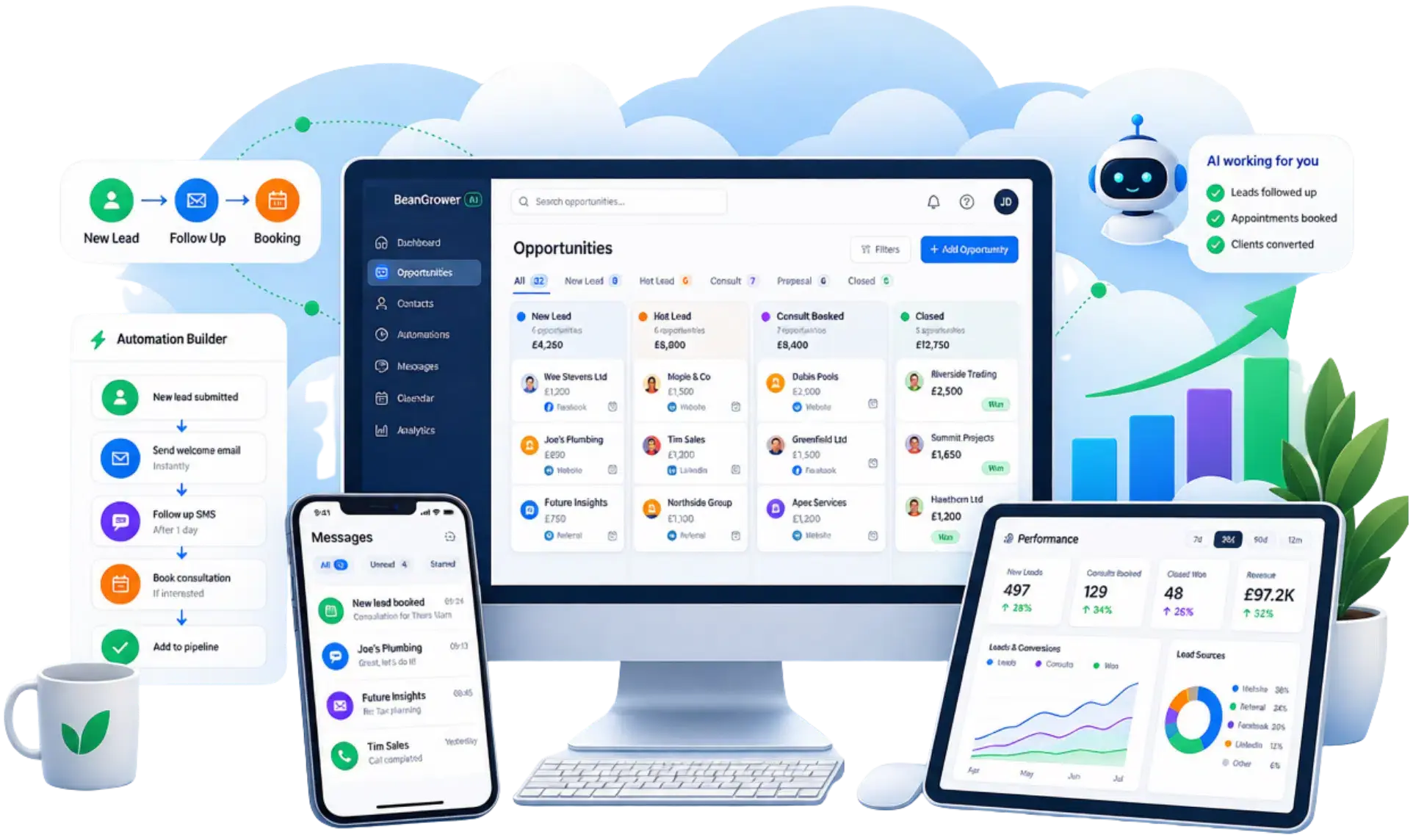
Turn your sales process into a clear visual pipeline, with every enquiry or deal sitting at the right stage. Track its value, status, owner and next step, then use automation to keep opportunities moving without relying on spreadsheets or memory.
- Custom sales stages
- Track deal value & progress
- Automate opportunity updates
Know what’s moving, what’s stuck and what needs attention next.
BeanGrower AI lets you build pipelines around the way your business actually sells , whether that means a straightforward New Lead → Proposal → Won process or several different pipelines for different products, services or customer journeys.
Each opportunity can carry its own stage, value, status, owner and deal-specific information, giving your team a clear picture of what is happening without maintaining separate spreadsheets. Opportunities can also be created and updated automatically as customers submit forms, book appointments, make payments or take other actions.
What you can do:
- Create pipelines and stages that match your sales process , rather than forcing your business into a fixed structure.
- Track opportunity value, status, stage and ownership so you know where every potential sale stands.
- Switch between visual board and detailed list views , with filtering and sorting to focus on the opportunities that matter.
- Add opportunity-specific custom fields for things such as budget, urgency, service required or expected close date.
- Automatically create, update or move opportunities when forms are submitted, appointments are booked, payments arrive or other workflow events occur.
- Measure pipeline performance including opportunity volumes, revenue trends, lost reasons and win rates through dashboards and reports.
The result: a sales process your team can actually see and manage , with fewer opportunities forgotten, fewer manual updates and much clearer visibility over future business.
Lead capture
Turn interest into leads you can actually follow up.
Capture enquiries from your website, funnels, chat, booking pages and advertising, then bring the information straight into BeanGrower AI so it can be organised, assigned and followed up automatically.
- Capture leads from multiple channels
- Send enquiries straight into your CRM
- Trigger immediate follow-up
Make it easy for people to raise their hand , wherever they find you.
Lead capture shouldn’t mean checking website forms, advertising platforms, inboxes and spreadsheets to find out who has enquired.
BeanGrower AI connects the different places people can respond to your business with the CRM and automation behind them. A new enquiry can become a contact, enter the right sales process, alert your team and receive an immediate response without somebody having to copy the details from one system to another. BeanGrower AI supports direct capture through its own forms and chat tools as well as Meta and Google lead-form integrations.
What you can do:
- Capture enquiries from websites and sales funnels using integrated forms and other conversion points.
- Turn website conversations into leads using live chat, messaging or AI-powered chat experiences.
- Collect information as part of the booking process , with custom forms attached to calendars.
- Bring Meta lead-form enquiries directly into your CRM from Facebook and Instagram campaigns.
- Capture Google Lead Ad submissions automatically , without manually exporting and importing leads.
- Trigger workflows as soon as someone enquires , allowing you to assign the lead, notify your team, create an opportunity and start personalised follow-up.
The result: fewer leads slipping through the cracks and a much shorter gap between someone showing interest and your business responding.
Websites & blogs
Build your online presence in the same system that powers your marketing.
Create professional multi-page websites and blogs without needing a separate website platform, then connect them directly to your forms, calendars, CRM, messaging and automation.
- Build responsive websites
- Optional WordPress hosting optional add on available in the platform
- Connect everything to your CRM
Build your online presence in the same system that powers your marketing.
Build and manage professional websites directly inside BeanGrower AI, with responsive layouts, reusable sections, custom domains, pop-ups, SEO settings and built-in AI tools that can help generate and refine pages, copy, images and layouts.
The built-in blogging system lets you publish and organise articles with authors, categories and search-engine metadata. Because your website lives alongside the rest of BeanGrower AI, visitors can move naturally into forms, bookings, conversations and automated follow-up without stitching several platforms together.
What you can do:
- Build complete multi-page websites using the visual website builder.
- Build and refine pages with Website AI using prompts, guided inputs and existing content as inspiration.
- Optimise layouts for desktop and mobile and control how content appears across devices.
- Connect your own domains and run multiple websites, funnels and landing pages.
- Create pop-ups and conversion elements that connect directly with your CRM and automation.
- Publish and manage blog content with categories, authors and SEO settings.
- Keep an existing WordPress website if you prefer , BeanGrower AI can work alongside it, and optional WordPress hosting is also available if you want your WordPress site hosted within the HighLevel/BeanGrower AI ecosystem.
Optional WordPress hosting: available at additional cost. Your existing WordPress website does not need to be moved in order to use BeanGrower AI.
The result: whether you build your website inside BeanGrower AI or keep WordPress, your web presence can connect directly with your lead capture, CRM, bookings, messaging and automation.
Sales funnels
Turn clicks into customers with journeys built to convert.
Create focused landing pages and multi-step sales funnels that guide visitors towards one clear action , from making an enquiry or booking a call to buying a product.
- Landing pages & multi-step funnels
- A/B split testing
- Upsells & conversion tracking
Build a journey around the action you want people to take.
Unlike a normal website, a sales funnel removes unnecessary distractions and guides the visitor through a deliberate sequence , perhaps from an advert to a landing page, then a form or checkout, followed by an upsell and automated follow-up.
BeanGrower AI gives you the tools to build those journeys in the same system that captures the lead, takes the payment and runs the automation afterwards.
What you can do:
- Build landing pages and multi-step funnels for lead generation, bookings, offers and sales.
- Run A/B split tests to compare different page variations and identify which converts better. HighLevel makes funnel split testing available across its plans.
- Add order forms and checkout steps directly into sales funnels.
- Offer order bumps and one-click upsells to increase the value of a sale without asking customers to re-enter their payment details.
- Trigger different automation based on funnel behaviour , including opt-ins, purchases, upsells and abandoned buying journeys.
- Connect funnel leads and customers straight into your CRM , rather than moving information between separate systems.
The result: a clearer route from initial interest to enquiry or sale , with the marketing, CRM and follow-up already connected behind it.
Forms, surveys & quizzes
Collect more than just a name and email address.
Build forms, surveys and interactive quizzes that capture enquiries, qualify prospects, collect feedback and personalise what happens next , with responses flowing directly into your CRM and automation.
- Smart forms with conditional logic
- Surveys that adapt to answers
- Scored quizzes with personalised results
Ask better questions , then actually use the answers.
BeanGrower AI lets you build anything from a simple contact form to a multi-step qualification survey or scored interactive quiz.
Forms and surveys can adapt dynamically based on previous answers, showing or hiding questions, redirecting people, displaying different messages or disqualifying unsuitable enquiries. Quizzes go further, with scoring, categories, personalised results and CRM mapping that can drive different follow-up journeys.
What you can do:
- Create branded forms and surveys directly inside your websites and funnels, using templates or your own layouts.
- Use conditional logic to show different questions or outcomes based on how someone responds.
- Qualify or disqualify leads automatically instead of reviewing every response manually.
- Build scored and category-based quizzes that deliver personalised recommendations or outcomes.
- Map quiz results and answers into CRM fields so they can be used for segmentation and personalised automation.
- Accept payments through suitable forms and surveys where the customer journey requires it.
The result: better information at the point of enquiry, more useful segmentation and follow-up that can respond to what each person actually told you.
Email, SMS & WhatsApp marketing
Reach customers on the channels they actually pay attention to.
Send newsletters, promotions and targeted campaigns by email, SMS and , where connected , WhatsApp, using your CRM data to reach the right people with the right message.
- Email newsletters & campaigns
- SMS and WhatsApp broadcasts
- Targeted lists & performance tracking
One audience. Multiple ways to stay in touch.
BeanGrower AI brings email, SMS and WhatsApp marketing together with the customer data already sitting in your CRM.
Send a newsletter to your whole customer base, target a Smart List with a specific offer, text a selected audience or run an approved WhatsApp campaign , without maintaining separate contact databases in separate marketing tools. HighLevel currently supports scheduled and batch email campaigns, bulk SMS and bulk WhatsApp messaging with delivery and engagement reporting.
What you can do:
- Design and send professional email newsletters and campaigns using reusable templates and personalised customer data.
- Send immediately, schedule for later or deliver large email campaigns in batches to control timing and delivery.
- A/B test email subject lines and content , with the winning variation automatically sent to the remaining audience.
- Use Smart Send recommendations to identify stronger campaign send times when sufficient engagement data is available.
- Send targeted bulk SMS campaigns or incorporate SMS into automated customer journeys.
- Run WhatsApp marketing campaigns where WhatsApp is connected, including approved templates containing text, images, video, documents and other rich content.
The result: more consistent customer communication without having separate software , and separate contact lists , for every messaging channel.
Social media planner
Plan once. Publish across your social channels.
Create, schedule and manage social content from one central calendar instead of logging into every network separately , helping your business stay visible without social posting taking over your week.
- Schedule content in advance
- Manage multiple networks
- See your content calendar in one place
Stay visible without living on social media.
BeanGrower AI’s Social Planner gives you one place to create, organise and schedule your social content.
You can prepare posts in advance, manage multiple connected accounts and see upcoming content in a single calendar. HighLevel currently supports Facebook, Instagram, Threads, LinkedIn, Google Business Profile, TikTok, YouTube, Pinterest, Bluesky and HighLevel Communities, although the types of posts and analytics available vary by network.
What you can do:
- Create and schedule social posts in advance rather than having to publish manually each day.
- Manage multiple social profiles and pages from one planning area.
- Publish across major social platforms including Facebook, Instagram, LinkedIn, Google Business Profile, Threads, TikTok, Pinterest and others.
- Use text, images and supported video formats according to the capabilities of each social network.
- View scheduled content in one calendar so you can see what is going out and when.
- Track social publishing and performance data where supported by the connected platform.
The result: a more consistent social presence with less switching between platforms and less last-minute pressure to find something to post.
Ad manager
Manage your paid advertising without bouncing between ad platforms.
Create and monitor Facebook, Instagram, Google and LinkedIn advertising from one central area, with campaigns sitting closer to the CRM and customer journey they are designed to generate.
- Facebook & Instagram Ads
- Google Ads
- LinkedIn Ads
Bring advertising closer to the rest of your sales and marketing system.
BeanGrower AI’s Ad Manager gives you a central place to create, manage and monitor campaigns across the major advertising networks rather than constantly switching between separate ad-management interfaces.
HighLevel currently brings Facebook, Instagram, Google and LinkedIn advertising into the same Ad Manager dashboard.
What you can do:
- Create and manage Facebook and Instagram advertising through connected Meta advertising accounts.
- Build and manage Google advertising campaigns from within the platform.
- Manage supported LinkedIn advertising alongside your other paid channels.
- View campaign performance in one central dashboard instead of checking every ad platform individually.
- Connect advertising more closely to your wider lead-generation process , including CRM follow-up and automation after the enquiry arrives.
- Keep campaign management and customer data closer together , making it easier to understand what happens after an advert generates interest.
The result: less platform switching and a more connected view of the journey from advertising spend to actual enquiries and customers.The Ad Manager software itself is included; advertising spend is paid directly to the relevant advertising platform.
Affiliate management
Let other people help grow your business , and track the results properly.
Create affiliate and referral programmes with unique tracking links, flexible commissions and automatic attribution, so partners can promote your products or services while BeanGrower AI keeps track of who generated what.
- Unique affiliate tracking
- Flexible commissions
- Track leads, sales & payouts
Turn customers, partners and advocates into a measurable sales channel.
BeanGrower AI includes an Affiliate Manager for creating and running your own referral or affiliate programmes.
Create campaigns, enrol affiliates, give each person a unique tracking link and decide how they should be rewarded. The system can attribute leads and sales, calculate commissions and help you manage what each affiliate is owed. Affiliate campaigns can work with BeanGrower AI websites, funnels and stores, and HighLevel also supports tracking on external websites.
What you can do:
- Create multiple affiliate campaigns for different products, services or promotions.
- Give every affiliate a unique tracking link so leads and purchases can be attributed correctly.
- Set percentage or fixed commissions , including different commission levels for individual products.
- Reward both sales and leads , including qualifying activity through forms, surveys and calendars.
- Create recurring and multi-tier commission structures where your business model requires them. HighLevel currently supports affiliate campaigns with up to seven tiers.
- Track commissions and manage payouts rather than maintaining referral records manually.
The result: a structured referral channel that can grow your reach while BeanGrower AI handles the tracking and commission administration behind it.
Multi-channel inbox
Every customer conversation, together in one place.
Bring email, SMS, WhatsApp, website chat, Facebook and Instagram conversations into one shared inbox. Customers can also start SMS or WhatsApp conversations directly from your connected Google Business Profile. So your team can see what has already been said and respond without jumping between different apps.
- One inbox for multiple channels
- Complete conversation history
- Easier team collaboration
Stop making your team hunt for conversations.
A customer might email today, send a WhatsApp message tomorrow and contact you through your website next week. BeanGrower AI brings those conversations together around the same customer record, giving your team much better context when they respond.
The Conversations area provides a central inbox with filtering, contact information and conversation history, while connected channels can include email, SMS, WhatsApp, Facebook, Instagram and website chat.
What you can do:
- Manage conversations from multiple channels in one inbox, including email, SMS, WhatsApp, Facebook, Instagram and website chat where those channels are connected.
- See previous messages in context rather than treating every new contact as a separate conversation.
- Filter and organise conversations using status, assignments, tags and other criteria to help teams focus on what needs attention.
- Reply directly from the conversation thread using the appropriate connected channel.
- Handle live website conversations alongside your other customer communications.
- Combine human and AI responses so Conversation AI can handle suitable enquiries while your team takes over when needed.
The result: fewer missed messages, less switching between apps and a much clearer view of every customer conversation.
Virtual phone system
A business phone system built into your CRM.
Make and receive business calls, route callers to the right person, use voicemail and call recording, and keep call activity connected to the customer record rather than relying on a separate phone system.
- Make & receive business calls
- Smart routing & voicemail
- Calls connected to your CRM
Your business phone system and customer records, working together.
BeanGrower AI includes a full cloud-based phone system that works alongside your CRM, messaging and automation.
You can use BeanGrower AI phone numbers or, where appropriate, keep your existing published business number and forward calls into the system. Incoming calls can be routed to individuals or teams, sent through an IVR menu, forwarded externally, handled by Voice AI or sent to voicemail.
What you can do:
- Make and receive calls from within the platform without needing a separate business telephone application.
- Route incoming calls to individuals or multiple team members, including simultaneous ringing and working-hours routing.
- Create IVR call menus to direct callers to the right team, department or destination.
- Use voicemail, forwarding and fallback routing when nobody is available to answer.
- Record calls where appropriate for training, quality control or record keeping, subject to applicable consent requirements.
- Keep an existing business number where practical by forwarding calls into BeanGrower AI rather than automatically changing the number customers already know.
Phone numbers, calls and certain phone services have usage charges.
The result: a professional business phone system that sits alongside the rest of your customer communications instead of operating as another disconnected tool.
Calendars & bookings
Let customers book the right person, service or session themselves.
Create booking calendars for one-to-one meetings, teams, services, classes and recurring appointments. Control availability, take payments and automatically send confirmations, reminders and follow-up.
- 1-to-1, team, service & class bookings
- Automated reminders
- Take payment when booking
Make booking easy for customers and easier for your team to manage.
BeanGrower AI lets customers choose an available time without the usual back-and-forth emails or phone calls.
You can create different calendars for personal appointments, teams, services, classes and other booking scenarios. Availability can be synchronised with external calendars to help prevent clashes, while reminders, payments and follow-up can all become part of the same customer journey.
What you can do:
- Create personal booking calendars for straightforward one-to-one meetings.
- Use Round Robin calendars for teams so appointments can be distributed according to availability or workload.
- Offer service bookings with different services, durations, staff availability and pricing through a single service menu.
- Run classes, workshops and group sessions with controlled capacity and multiple attendees per booking.
- Collect payments or card details during booking, including deposits and supported recurring-booking payment options.
- Synchronise Google and Microsoft calendars to reflect existing commitments and help prevent double bookings.
- Automate confirmations, reminders and follow-up through email, SMS, WhatsApp and in-app notifications where configured.
The result: less diary administration, fewer booking clashes and a smoother experience from choosing an appointment through to reminders and follow-up.
Missed-call text-back
Miss the call without losing the opportunity.
If nobody can answer an incoming call, BeanGrower AI can automatically send the caller a personalised text within moments, acknowledging their call and giving them another way to continue the conversation.
- Immediate automatic response
- Keep missed callers engaged
- Works after hours too
Because a missed call shouldn't become a missed customer.
People often call several businesses and move on quickly when nobody answers. Missed-Call Text-Back helps keep that opportunity alive by automatically acknowledging the call rather than leaving the caller wondering whether anyone noticed.
When an inbound call is missed, BeanGrower AI can send a customised SMS from your business number straight away. The message can reassure the caller, set expectations or invite them to reply by text so the conversation can continue even while your team is unavailable.
What you can do:
- Automatically text missed callers as soon as an incoming call goes unanswered.
- Customise the response message to suit your business and use personalised contact or business information.
- Give callers another way to respond immediately instead of waiting for somebody to remember to call them back.
- Use it for after-hours calls so enquiries receive acknowledgement even when the business is closed.
- Build a more sophisticated missed-call workflow with delays, conditions and additional follow-up where required.
- Use a separate WhatsApp missed-call follow-up workflow where appropriate rather than SMS, if WhatsApp is connected and the customer journey calls for it. BeanGrower AI distinguishes this from its standard SMS Missed Call Text Back feature.
SMS or WhatsApp usage charges apply to messages sent.
The result: faster acknowledgement, fewer callers going cold and a better chance of recovering opportunities your team simply couldn't answer at the time.
Workflows & automation
Put repetitive work on autopilot.
Build automated processes that react to what customers do, from submitting a form or booking an appointment to making a payment or moving through your sales process. BeanGrower AI can then handle the follow-up, updates and internal tasks automatically.
- Automate repetitive tasks
- Connect different parts of your business
- Trigger personalised follow-up
Make things happen automatically, at exactly the right time.
BeanGrower AI’s workflow builder connects the different parts of your business so routine processes do not depend on someone remembering what needs to happen next.
A workflow starts when something happens, such as a new enquiry, appointment, payment, message, pipeline change or customer action. It can then perform a sequence of actions including sending messages, updating CRM records, creating tasks, moving opportunities, notifying your team or triggering another process.
What you can do:
- Automate lead and customer follow-up using email, SMS, WhatsApp and other connected communication channels.
- React automatically to business events including form submissions, appointments, opportunities, payments, e-commerce activity and customer replies.
- Update CRM records and sales opportunities without relying on manual administration.
- Use delays, conditions and branching logic to create different journeys depending on what each customer does.
- Connect workflows with external systems using webhooks when you need BeanGrower AI to send or receive information elsewhere.
- Add AI-powered workflow actions for tasks such as summarising information or making intelligent routing decisions where appropriate.
The result: fewer repetitive jobs, faster follow-up and business processes that keep moving even when nobody is manually managing every step.
AI receptionist & voice AI
Voice AI can answer calls day and night, handle common questions, qualify enquiries and book appointments. It does not take holidays, call in sick or leave callers waiting for somebody to become available.
- Available 24/7, 365 days a year
- Handle multiple enquiries consistently
- Reduce reliance on costly answering services
Your receptionist can’t work 24 hours a day. Your AI receptionist can.
Missed calls cost businesses opportunities, but employing extra reception staff or paying for a traditional answering service can be expensive.
BeanGrower AI Voice AI gives you an always-available receptionist that can answer incoming calls, respond to common questions, collect customer information, qualify enquiries and book appointments directly into your calendar.
It can work evenings, weekends and holidays, and it delivers the same response every time without becoming unavailable because somebody is busy, off sick or on leave.
What you can do:
- Answer calls 24/7, including evenings, weekends and holidays.
- Reduce reliance on traditional answering services and additional reception staff.
- Answer common questions automatically using information about your business.
- Qualify callers and collect useful information before your team becomes involved.
- Book appointments during the call directly into the appropriate calendar.
- Transfer callers to a real person when human assistance is needed.
- Trigger follow-up automatically by updating the CRM, sending messages or starting workflows.
- Make outbound AI calls for suitable reminders, lead follow-up and reactivation campaigns.
The result: more calls answered, fewer opportunities lost and receptionist-style coverage at a fraction of the cost that a comparable 24/7 human service could require.
AI chat & conversation AI
Give customers useful answers without making them wait.
Conversation AI can respond to enquiries across supported messaging channels, answer questions, collect customer information, qualify leads and book appointments, while handing conversations back to your team when required.
- Instant conversational responses
- Qualify leads automatically
- Book appointments through chat
Turn everyday customer conversations into useful action.
BeanGrower AI Conversation AI lets you create AI agents that communicate with leads and customers through supported messaging channels.
Rather than simply answering with scripted responses, the agent can understand what someone is asking, respond using your business information, collect details, qualify the enquiry and guide the person towards an appropriate next step.
Conversation flows can be structured around particular goals, and different AI agents can be assigned to different channels, numbers, widgets or types of contact.
What you can do:
- Answer common customer and prospect questions automatically using information and instructions you provide.
- Capture and qualify lead information during the conversation instead of relying on a static form alone.
- Book, cancel and reschedule appointments through conversational AI, including routing to different calendars based on what the customer needs.
- Create structured conversation flows with different questions, actions and outcomes according to how the person responds.
- Deploy different AI agents across different supported channels and control which customers each agent should serve.
- Combine AI and human conversations so your team can take over where personal attention is more appropriate.
The result: quicker responses, more enquiries handled automatically and a smoother route from a customer’s first question to the next useful action.
Ask AI, your business copilot
Ask for what you need instead of hunting through menus.
Ask AI is a built-in business copilot that can answer questions, find information, create content and carry out supported actions across BeanGrower AI using everyday language.
- Find information instantly
- Create and update records
- Generate content & creative assets
Work with BeanGrower AI by simply asking for what you want.
Ask AI is much more than a chatbot. It sits inside the platform and can understand natural-language requests, retrieve business information and carry out supported actions on your behalf.
You might ask it to summarise a customer before a call, find tomorrow’s appointments, create a new contact, update an opportunity, generate campaign content or build creative assets without working through several different screens.
What you can do:
- Ask questions about your CRM and business data and retrieve useful information conversationally.
- Summarise customer records including communications, appointments, payments and tasks so you can understand the relationship quickly.
- Create and update supported CRM records, including contacts, tags and opportunities, using plain-English instructions.
- Find, review and manage appointments without manually navigating through calendar screens.
- Generate branded content and images for emails, social posts, advertising, blogs and campaigns.
- Create short AI-generated video and voiceover assets directly from a conversation where appropriate.
- Connect Ask AI with supported external applications and custom skills so it can follow your own instructions and workflows.
The result: less time clicking through software and more time simply telling the system what you need done.
AI studio & vibe coding
Describe what you want and let AI build it.
Create websites, landing pages, web apps, forms, booking experiences, dashboards and other interactive tools simply by describing what you need. AI Studio can generate the structure, design, content and visuals, then connect suitable experiences back into your BeanGrower AI account.
- Build websites & web apps from prompts
- Create forms, booking flows & interactive tools
- Connect experiences to CRM, calendars & automation
Go from idea to working website, web app or digital experience through conversation.
AI Studio is BeanGrower AI’s vibe-coding workspace. Instead of starting with a blank page or writing code yourself, you describe what you want to create and the AI helps turn that idea into a working front-end experience.
It can create anything from a simple landing page to a multi-page website, lead-generation tool, branded form, booking experience, dashboard, calculator or other interactive web app. You can start from a prompt, use a template, reference an existing URL or image for inspiration, then refine the result by continuing the conversation.
Where appropriate, the experience can also be connected to BeanGrower AI so forms feed customer data into the CRM, bookings use your existing calendars and submitted information can trigger automated follow-up.
What you can do:
- Build websites and landing pages from natural-language instructions, without starting every project from scratch.
- Create web apps and interactive tools such as calculators, dashboards, lead-generation experiences and other purpose-built customer-facing applications.
- Build multi-page web experiences rather than being limited to a single landing page.
- Create custom forms, surveys and lead-capture experiences that match the design and purpose of the project.
- Create custom booking experiences and connect them to your existing BeanGrower AI calendars so appointments flow into the same scheduling system.
- Connect form submissions to your CRM and workflows, allowing an AI-built experience to trigger emails, SMS, follow-up and other automation.
- Generate and refine layouts, copy and visual assets as part of the same conversational build process.
- Fine-tune projects visually or edit the underlying code when you want more detailed control over the finished result. HighLevel now provides a dedicated code editor within AI Studio.
- Use an existing website or image as design inspiration to help AI Studio understand the style and structure you are aiming for.
AI Studio is usage-based. AI Employee plans include an allowance, while pay-per-use accounts are charged based on the AI work involved. Actual usage varies according to the complexity of the project, generated assets and refinement required.
The result: ideas that might previously have needed a designer, developer or separate AI-building platform can often be turned into working digital experiences much faster, while still connecting back into the CRM, bookings and automation already inside BeanGrower AI.
AI content & productivity
Create more without staring at a blank screen.
Use AI to help write emails, blogs, website copy and social content, generate imagery and keep everything closer to your own brand voice, giving you a faster starting point for everyday marketing work.
- Write content faster
- Generate text & images
- Keep content closer to your brand voice
Turn AI into an everyday creative assistant for your business.
BeanGrower AI includes AI-powered content tools throughout the platform, so you do not need to start every email, social post, blog article or website headline from scratch.
Content AI can help generate and refine copy for different marketing channels, while image-generation tools can create supporting visuals. The Brand Voice system can also learn from your existing website or written material and provide a reusable tone and messaging profile for AI tools across the platform.
What you can do:
- Generate email copy and subject lines for newsletters, promotions, outreach and other campaigns.
- Create social media content tailored to the platform and type of post, with guided prompts to help shape the message and call to action.
- Draft blog articles and outlines with AI assistance, then edit, optimise and publish them directly inside BeanGrower AI.
- Generate website headlines and marketing copy when building websites and funnels.
- Create AI-generated images for marketing content where suitable.
- Create a reusable Brand Voice from your existing website or written examples, helping AI-generated content stay more consistent with how your business communicates.
- Maintain different brand voices when needed for different services, audiences or brands.
Content AI is unlimited on AI Employee Growth and Unlimited plans, subject to fair use. Pay-per-use accounts are charged for generated text and images.
The result: faster content creation, fewer blank-page moments and a more consistent stream of marketing material without needing a separate AI writing tool for every task.
Estimates, invoices & payments
From quote to payment, without stitching several systems together.
Create professional estimates and invoices, collect one-off or recurring payments, offer payment plans and send customers simple payment links, while keeping billing activity connected to the customer and sales record.
- Estimates & professional invoices
- One-off, recurring & scheduled payments
- Payment links & automated reminders
Make it easier to quote, bill and get paid.
BeanGrower AI brings estimates, invoicing and payment collection into the same system as your customers, sales opportunities and automation.
Create an estimate, track whether it has been accepted or declined, convert it into an invoice and collect payment without rebuilding the information somewhere else. Invoices can be one-off or recurring, and flexible payment schedules can be used where customers need to pay in stages.
What you can do:
- Create branded estimates and track their status from draft through sent, accepted, declined and invoiced.
- Turn an accepted estimate into an invoice rather than entering all the customer and pricing information again.
- Send one-off and recurring invoices, including automatically generated invoices for ongoing services and retainers.
- Offer flexible payment schedules where a customer needs to pay a balance in instalments rather than all at once.
- Send direct payment links by email, SMS, QR code or other channels, including checkouts containing one-time and recurring products.
- Keep invoices and estimates linked to the relevant sales opportunity, so the financial side of a deal remains connected to the sales process.
- Trigger automation from payment events, such as an invoice being sent, becoming due, being paid or a payment being received.
- Connect supported accounting software, including two-way integrations with systems such as QuickBooks and Xero where appropriate.
Payment processing charges from your chosen payment provider may apply.
The result: less administration between winning the work and getting paid, with quoting, billing, customer records and follow-up working together.
POS & tap to pay
Turn your phone into a point-of-sale terminal.
Take face-to-face payments through the mobile app using supported cards and digital wallets, with Tap to Pay available on compatible devices and payment providers. You can also record cash and other payment methods alongside the customer record.
- Take payments in person
- Accept contactless cards & digital wallets
- No separate card reader required in supported setups
Take payment wherever the customer is.
For businesses that take payment face to face, BeanGrower AI includes a mobile Point of Sale system so payments do not have to live in a completely separate till or payment app.
Build a sale from your product catalogue or enter an amount directly, associate it with the customer, apply relevant discounts or taxes, then choose how the customer wants to pay. On supported devices and payment providers, Tap to Pay lets the phone itself accept contactless payments without a separate card reader.
What you can do:
- Take face-to-face payments from the mobile app using the built-in Point of Sale interface.
- Accept supported contactless debit and credit cards directly on compatible mobile devices.
- Accept digital wallets such as Apple Pay and Google Pay where supported by the connected payment provider.
- Take Tap to Pay payments without buying a separate card reader in supported configurations.
- Build transactions from your product catalogue or enter custom amounts, then attach the sale to the relevant customer.
- Record cash, manual card and other supported payment methods alongside digital transactions.
- Turn a face-to-face conversation into an estimate or invoice if the customer is not ready to pay immediately.
Tap to Pay availability depends on the mobile device, payment provider and app configuration. Normal payment-processing fees apply.
The result: a more flexible way to take payment in person, while keeping customer and transaction information connected to the rest of BeanGrower AI.
E-commerce & online store
Sell products, services and subscriptions online.
Build a complete online store for physical or digital products, manage your catalogue and orders, take payments and automate what happens after the sale, all within the same system that manages your customers and marketing.
- Physical & digital products
- One-off sales & subscriptions
- Orders, checkout & abandoned-cart recovery
From product page to repeat customer, keep the whole journey connected.
BeanGrower AI can power a complete online store rather than requiring a separate e-commerce platform for many businesses.
Create products with one-off or recurring prices, sell physical or downloadable digital products, manage the customer checkout and keep orders connected to the CRM and automation behind them. Stores can run as part of a website and can now also be incorporated directly into sales funnels.
What you can do:
- Create and sell physical products, digital products and services from your own online store.
- Offer both one-time purchases and recurring subscriptions for memberships, retainers or other ongoing products.
- Manage product catalogues, variants, pricing and orders from the same platform.
- Sell downloadable digital products such as ebooks, documents, audio, video and other files, with customers receiving controlled access after purchase.
- Use coupons and promotional discounts across supported store and checkout experiences.
- Recover abandoned checkouts automatically by following up with customers who started buying but did not complete their purchase.
- Trigger automation from orders, fulfilment, subscriptions and other purchase events, allowing sales to feed directly into your customer journey.
- Build store experiences into websites or sales funnels, allowing product discovery, cart and checkout to sit alongside your marketing content.
Normal payment-processing fees and any applicable shipping or third-party service charges still apply.
The result: your online store becomes part of the same customer journey as your marketing, CRM, payments and follow-up, rather than another disconnected system.
Documents, proposals & e-signatures
From proposal to signature and payment in one smoother process.
Create professional proposals, agreements and contracts, personalise them with customer and pricing information, collect electronic signatures and automate what happens once the document is sent, signed or declined.
- Branded proposals & agreements
- Electronic signatures
- Automate signing, invoicing & follow-up
Send the paperwork, get it signed and keep the next step moving.
BeanGrower AI gives you a built-in document system for proposals, service agreements, contracts and other documents that need customer approval or signature.
Start from a reusable template, create a document from scratch or upload an existing PDF. Add customer information, pricing, products and signature fields, then send the document directly to the recipient and track what happens next.
What you can do:
- Create professional proposals, agreements and contracts from scratch, from reusable templates or from existing PDF documents.
- Add electronic signature fields so customers can review and sign documents online.
- Automatically personalise documents using customer details and other stored information.
- Include product and pricing tables directly inside the document, helping proposals combine scope, price and acceptance in one place.
- Save reusable sections and pages in a content library so common terms, pricing blocks and signature areas do not need to be recreated every time.
- Track document progress, including when documents are sent, signed, completed or declined.
- Automatically send documents from workflows when something happens in the customer or sales process.
- Move directly from signature to payment, including generating an invoice and, where configured, taking payment as part of the same process.
The result: fewer separate systems for proposals, signatures and billing, less manual chasing and a much smoother journey from “yes” to signed agreement and payment.
Reviews & reputation
Turn happy customers into visible proof that helps win the next one.
Automatically ask customers for reviews, monitor feedback from connected platforms, respond faster with AI assistance and display your best reviews on your website to build trust with future customers.
- Automated review requests
- AI-assisted review responses
- Display reviews on your website
Build a stronger reputation without remembering to ask every customer.
Good reviews can be one of the most persuasive reasons for someone to choose your business, but collecting and responding to them consistently is easy to neglect.
BeanGrower AI can automate review requests after the right customer interaction, bring reviews from connected Google and Facebook profiles into one reputation dashboard and help you respond quickly and consistently.
What you can do:
- Automatically request reviews by email or SMS after appointments, purchases or other suitable customer milestones.
- Use scheduled retries if somebody has not yet clicked the review request, rather than relying on manual chasing.
- Request reviews through WhatsApp where configured, giving customers another convenient route to leave feedback.
- Monitor Google and Facebook reviews in one place, including ratings, review trends and sentiment.
- Use Reviews AI to draft or automatically publish responses based on tone, sentiment and your preferred response style.
- Create branded review widgets for your website, including grids, sliders and floating badges that showcase genuine customer feedback.
- Use AI-generated review summaries to turn large amounts of customer feedback into an easier-to-understand snapshot of what customers are saying.
Messaging and applicable AI usage charges may apply depending on your plan and channels used.
The result: more reviews, faster responses and stronger social proof working continuously to build confidence in your business.
Communities, courses & memberships
Turn your knowledge and audience into something customers keep coming back to.
Create online courses, private or public communities and paid membership experiences in one place. Deliver content, host discussions and events, reward engagement and sell access without needing a separate course or community platform.
- Courses & digital learning
- Public, private & paid communities
- Memberships, events & engagement tools
Create an experience that continues long after the first sale.
BeanGrower AI gives you the tools to build learning, membership and community experiences around your business.
Create structured online courses, build communities where customers can interact with you and each other, sell access through one-off payments or subscriptions and combine learning, events and discussion in the same environment.
This can work for customer education, paid memberships, coaching programmes, staff training, professional development, support communities or almost any business that wants to deliver ongoing value rather than a one-off transaction.
What you can do:
- Build complete online courses with structured lessons, video, written content and supporting resources, then offer them free or sell access.
- Add quizzes and assessments with scoring, pass criteria and learner-performance tracking.
- Drip course content over time rather than giving members access to everything immediately.
- Issue branded certificates when learners complete appropriate courses or achievements.
- Create public, private and paid communities, including recurring subscription access where appropriate.
- Organise community discussions into channels, with posts, comments, reactions and embedded media.
- Run free or paid community events, including workshops, Q&As and recurring sessions, with registration and reminders built in.
- Use gamification, levels and rewards to encourage members to participate and keep coming back.
- Control who gets access to particular content, including private courses, paid content and courses unlocked by membership or engagement level.
The result: an ongoing customer experience that can educate, engage and retain your audience while also creating opportunities for memberships, subscriptions and additional revenue.
Client portal
Give customers one branded place to come back to.
Provide customers with their own secure portal where they can access courses, communities, billing, shared files and other resources through one login, all presented as part of your own branded customer experience.
- One secure customer login
- Courses, billing, files & communities
- Your branding and custom domain
Give customers a proper home inside your business.
Instead of sending customers to different systems for courses, communities, files and billing, BeanGrower AI can bring those resources together inside one branded Client Portal.
Customers sign in once and get a central home for the things you make available to them. The current unified portal brings together courses, communities, billing, shared files, account settings and a customer dashboard within one consistent navigation experience.
What you can do:
- Give customers one login for their resources, reducing the need for several different customer-facing systems.
- Bring courses and communities into the same customer experience, with members able to move between learning and discussion without separate logins.
- Give customers access to billing information and shared files alongside their other resources.
- Brand the portal around your business, including your logo, colours and other customer-facing identity settings.
- Use your own custom domain so the portal feels like part of your business rather than a separate third-party service.
- Use secure Magic Links for password-free access to appropriate customer resources, making it easier for customers to get where they need to go.
- Give customers a more self-service experience so they can access resources and information without needing to contact your team every time.
The result: a more professional and convenient customer experience that gives people a reason to keep returning to your business rather than interacting with you only when they need to buy something.
Events & ticketing
Run events without needing a separate ticketing platform.
Create free RSVP or paid ticketed events, publish branded event pages, manage registrations and attendees, send event communications and check people in on the day, all while keeping attendee information connected to the rest of BeanGrower AI.
- Free RSVP & paid ticketed events
- Multiple ticket types & online payments
- QR-code attendee check-in
From promoting the event to checking people in, keep everything connected.
BeanGrower AI gives you a dedicated Events system for workshops, webinars, seminars, conferences, open days, training sessions and other public events.
Create a branded event page, choose between free RSVP registration or paid ticketing, add different ticket types and pricing levels, collect attendee information and manage registrations from the same platform that already holds your CRM, payments and marketing. Events can be held in person or online.
What you can do:
- Run free RSVP or paid ticketed events, depending on whether you simply need registrations or want to sell admission.
- Create multiple ticket types and pricing tiers, such as Early Bird, General Admission and VIP, with individual quantities and sales periods.
- Build a public event page with your event details, branding, organiser information and registration or checkout process.
- Run in-person or online events, including physical venue information, maps, meeting links and joining instructions.
- Add schedules and speakers so more substantial events can present sessions and programme information clearly.
- Offer promotional coupon codes and control which tickets they apply to.
- Manage attendee capacity, registration deadlines and attendee information from the event dashboard.
- Send confirmations and event notifications so attendees receive the information they need before the event.
- Check attendees in using QR-code tickets from the mobile app, with manual check-in available when required.
- Track registrations and ticket purchases from Meta advertising using event-level Meta Pixel conversion tracking.
Normal payment-processing charges apply to paid ticket sales.
The result: a smoother event experience for both you and your attendees, without registration, ticketing, payments and customer information living in separate systems.
Analytics & dashboards
See what’s happening across your business without piecing reports together manually.
Create dashboards around the numbers that matter to you, from leads, appointments and pipeline value to revenue, calls, advertising and customer activity. Then turn those insights into scheduled reports for your team.
- Custom business dashboards
- Sales, marketing & revenue reporting
- Scheduled reports delivered automatically
Turn the data already inside your business into something you can actually use.
BeanGrower AI lets you create multiple dashboards for different parts of the business, so your sales team, management team or marketing team can each focus on the numbers that matter to them.
Build dashboards using configurable widgets and different chart types, then filter the information by date, user, campaign or other relevant criteria. Dashboards can bring together CRM, opportunity, appointment, call, revenue and connected advertising data in one place.
What you can do:
- Create multiple custom dashboards for sales, marketing, finance, customer service or other areas of the business.
- Track leads, appointments, opportunities, calls and revenue using configurable widgets and visual charts.
- Choose how information is displayed, including scorecards, line charts, bar charts, donut charts and tables.
- Filter dashboards and individual widgets so teams can focus on the information most relevant to them.
- Bring connected Google Analytics and advertising data into your reporting, helping you compare marketing activity with business outcomes.
- Build branded custom reports from scratch or from existing dashboards.
- Schedule reports to be emailed automatically to your team or other selected recipients, removing the need to prepare them manually each time.
The result: clearer visibility over what is working, what needs attention and where your sales and marketing activity is actually producing results.
Mobile app
Keep your business with you when you leave your desk.
Access conversations, contacts, opportunities, calendars, tasks, payments and other key areas of BeanGrower AI from your phone, so you can respond to customers and keep work moving wherever you are.
- CRM & conversations on the move
- Calendars, opportunities & tasks
- Payments, invoices & estimates from your phone
Your business doesn’t stop when you close your laptop.
The mobile app gives you access to many of the parts of BeanGrower AI you need while travelling, visiting customers or simply working away from your desk.
You can check new messages, review customer history, manage opportunities, see appointments, handle tasks and access payment tools from your phone. The current mobile experience also brings reporting, marketing and productivity tools into the same app.
What you can do:
- Manage contacts and review customer activity including calls, forms, appointments, page visits, surveys and payment-related activity.
- Read and respond to customer conversations while you are away from your desk.
- Manage opportunities and pipelines so sales activity can keep moving while you are out of the office.
- View and manage appointments and calendars from your phone.
- Create invoices and estimates, review payment activity and charge customers directly from supported contact and opportunity records.
- Take mobile payments and use supported Point of Sale features, including Tap to Pay where available.
- Access dashboards, reports, tasks and other productivity tools through the mobile interface.
- Create and manage social content on the move, with Social Planner features available within the mobile app.
The result: faster responses and fewer jobs waiting until somebody gets back to a computer.
Integrations & API
Keep the software you still need and connect it to the rest of your system.
BeanGrower AI can connect with third-party applications through built-in integrations, an app marketplace, webhooks and a modern API, giving you far more flexibility than a closed all-in-one system.
- Connect external business tools
- App marketplace & webhooks
- API for custom integrations
One platform doesn’t have to mean a closed platform.
BeanGrower AI can replace a large part of your software stack, but there will always be specialist tools that make sense to keep.
Built-in integrations and an app marketplace make it possible to connect many common third-party services, while webhooks and API access provide much greater flexibility when your business has a more specialised requirement.
What you can do:
- Connect supported third-party applications rather than manually transferring information between systems.
- Extend the platform through an app marketplace, with integrations covering a growing range of specialist business tools and services.
- Use private integrations for bespoke connections when an off-the-shelf integration does not meet your requirements.
- Control what a private integration is allowed to access, providing more secure permission-based connections rather than unrestricted access.
- Use API access to work with contacts, messaging, workflows, calendars, payments and other supported areas when custom development is required.
- Send information to external applications automatically using webhooks, allowing workflows inside BeanGrower AI to trigger actions elsewhere.
- Bring external systems into automated customer journeys, so information can move between BeanGrower AI and specialist tools without somebody copying it manually.
The result: you get the benefits of one connected business platform without being forced to abandon every specialist system your business already relies on.